Open Source · GPL-3.0
A better home for your
Jellyfin library
Pelagica is a fast, modern, and fully customizable open-source web, desktop and TV client for Jellyfin.
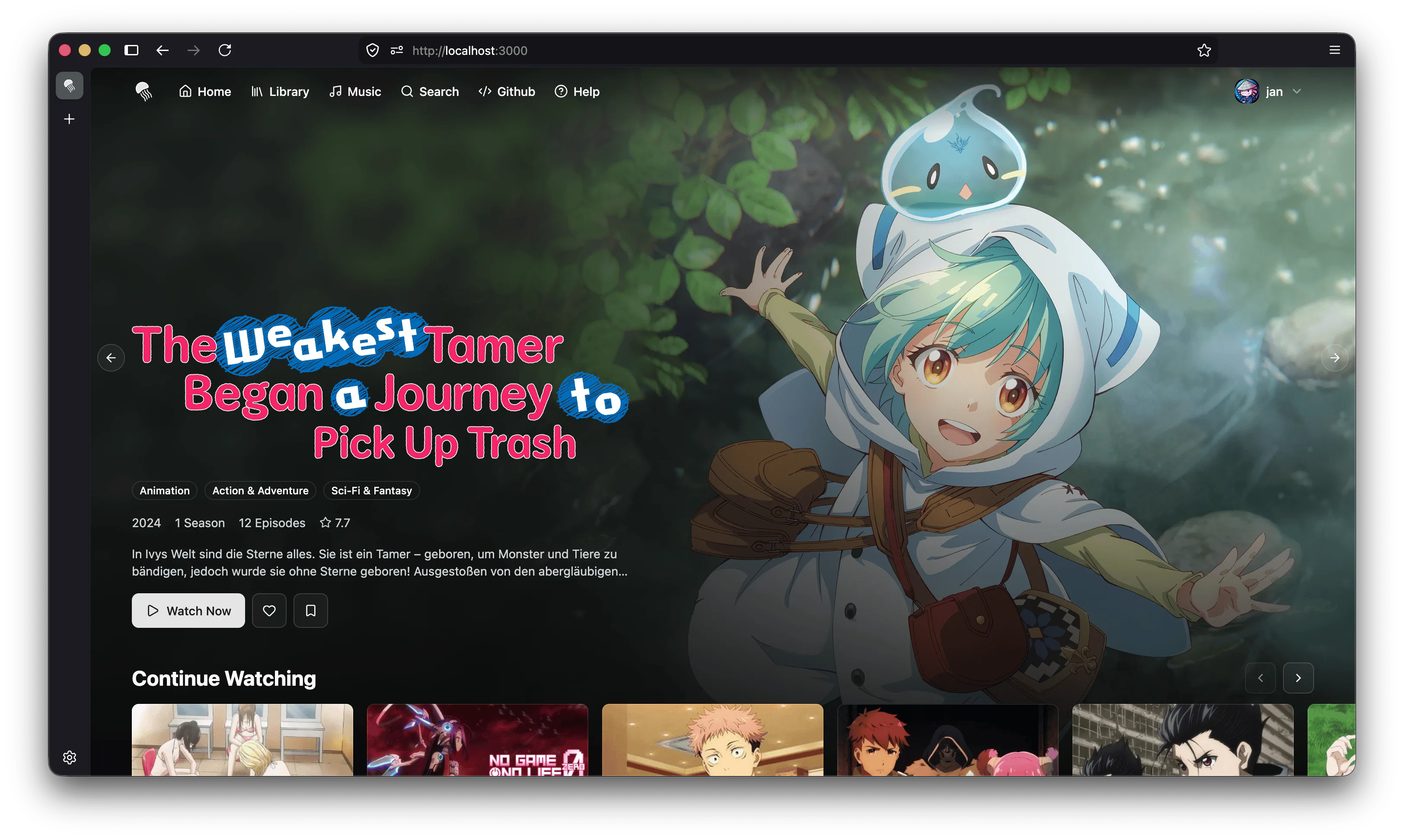
Pelagica is a fast, modern, and fully customizable open-source web, desktop and TV client for Jellyfin.
Build your own home page with configurable sections and media bars: "Continue Watching", "Recently Added", your own custom queries and more.
Pelagica is built for speed. Snappier navigation, faster load times, and a smoother experience than the standard Jellyfin frontend.
Find anything across your library from anywhere in the app using Cmd+K / Ctrl+K.
Watch movies and TV shows with the fully integrated player, with the same playback support you'd expect from the standard Jellyfin frontend.
Listen to albums or playlists while you browse. The music keeps playing as you navigate your library.
Light mode, dark mode, or fully custom themes. Make Pelagica look exactly the way you want it.
Use it in the browser, as a native desktop app for macOS, Windows, and Linux, or on your TV with Apple TV, Samsung (Tizen), and LG (webOS).
Available in multiple languages via community translations. Help translate Pelagica into yours on Twoglot.
Works seamlessly on both desktop and mobile devices, so your library looks great wherever you're browsing.
Discover and request new media through Seerr directly from your Pelagica home page, without ever leaving the app.
Surface your Streamystats recommendations directly on your Pelagica home page, alongside your regular library sections.
View and manage your kefintweaks watchlist without ever leaving Pelagica.
Run Pelagica as a self-hosted web app, grab the native desktop app for your platform, or install it on your Smart TV.
The easiest way to self-host Pelagica is with Docker.
docker run -d \
    --name pelagica \
    -p 8080:80 \
    -v /path/to/config:/config \
    --restart unless-stopped \
    kartoffelchipss/pelagica:latest
Then open http://localhost:8080 in your browser.
Native apps for macOS, Windows, and Linux, built with Wails.
Not signed, so SmartScreen will flag the installer.
Not notarized, so you may need to right-click and select "Open" to run it.
AppImage shown here; a .deb package is also available.
Or see all downloads on GitHub, or the Desktop App docs to build it yourself.
Native apps for Samsung Smart TVs running Tizen and LG Smart TVs running webOS.
Say hi, report a bug, or help translate. Everyone is welcome.
Chat with users, get support, and stay up to date in the JellyfinCommunity server.
Join the serverStar the project, open an issue, or submit a pull request. All contributions are welcome.
View on GitHubHelp make Pelagica available in your language by contributing translations on Twoglot.
Start translating